An Indie Developer's Rantings

Wednesday, January 11, 2012

Funne Fatales - Women of Indie Game Development

A recent back-and-forth on Twitter spurred a thought: why is no one talking about women in independent game development?

The simple answer is this: game developers want to be recognized as being game developers, not as being male or female. Totally fine. However, this does not change the fact that when people talk about indie game developers, you hear only a few names tossed around: Jonathan Blow, Edmund McMillen, Jason Rohrer, Marcus Persson, etc. In short, the media covers guys. Even as a straight male I find this a bit unfair. The discussion on Twitter tossed around the notion that there are no CELEBRITY indie game developers who just also happen to be women, and this of course is mainly the media's fault, but I can tell you that even as a male indie developer it's tough getting your name out there. For some reason there's still an air of mystery to "girl gamers" and it's exponentially bigger when they make games too, especially their own.

Having run an independent game development startup that has seen its share of women come and go (and even stay!), I can tell you for a fact that they DO exist! Have you played their games? Maybe, MAYBE NOT! If not, here's my first list of indie games made by women that you absolutely need to check out.


Swift*Stitch
Creator: Sophie Houlden (@S0phieH)

I've been a fan of Sophie's works ever since I played The Linear RPG up on Kongregate (another one worth checking out... oh hell go check out all her work!). Sophie is a fellow Unity fanatic and has a very distinct, aliased style to her work. I wouldn't call it pixel art, just not smoothed out. She's combined this aliased style in Swift*Stitch with glow, raycast, and particle effects to create one of the most unique looking games I've seen since Geometry Wars. The game is a strictly mouse-driven affair. Left click to change between vertical and horizontal movement, right click to slow down time. Different colored gates will cause you to change direction or start moving in an arc. The goal of each level is to make it to the end and collect Shinies along the way. You get bonuses for scraping against the wall but not crashing into it (and the sound effect that goes along with it is really satisfying).  It has 7 difficulty settings, each one being a different speed. Playing on speed 1 is cheap, playing speed 7 is maddening, and it defaults to speed 4. Oh, and the music by Aeronic? There are no words to describe it other than FUCKING AWESOME! Seriously, get this game.


5 Games
Creator: Rebecca Fernandez/Convict Interactive (@chainedchaos31, @ConvictInt)

Rebecca is the programmer for Convict Interactive, an indie game studio in Wollongong, Australia and part of the Microsoft Biz Spark program. She has 5 games up on XBLIG. "Bop" is a fighting game based on the tried and true mechanic of jumping on your opponent's head to cause damage. "Triangle Man" is a puzzle platformer involving coin collection and deadly spikes. "High Hopes" is an auto-scrolling vertical platformer which won the 48 Hour Game Making Competition in Brisbane. "Cave In" is an awesome looking, man vs. environment, race-against-the-clock style platformer. "Jurassic Bar" may just be the best game ever because you play as dinosaurs out to eat cave men. What more could you possibly want out of life? Check out her stuff and go drop 80MSP for a game or two so she can keep making games about dinosaurs eating people. Seriously, folks. DINOSAURS EATING PEOPLE!


The Little Girl Nobody Liked
Creator: Deirdra Kiai (@deirdrakiai)

Deirdra Kiai is an indie dev living in Vancouver who focuses on story-based games having to do with life, conformity, subconscious, and (most importantly of all) player choice. She also throws a hefty dose of non-linearity into all her games, and is the only indie developer that I know of who has a sousaphone with a fake mustache attached to it (as if the sousaphone part itself wasn't distinctive enough). "The Little Girl Nobody Liked" gives new meaning to the term "pointer focus." Your decisions in the game are based solely on clicking on either the little girl or the crowd. The more focus you give to the crowd, the more likely it is they will ignore the girl. The more you click the girl, the more likely it is she will ignore them. If you balance it out, she will conform to their attitude BUT in either a positive forward-thinking way or in a negative peer-pressure way. It's a really well-throught-out game that will only take you a minute or two to play, and Deidra gives the whole thing some lovely, soothing narration. This one's a real thinker, folks.


Ric Rococo - International Art Thief
Creator: Nat Marco/Honeyslug (@whenDoWeEat)

Nat Marco is the designer, animator, and self proclaimed cupcake enthusiast for Honeyslug games. "Ric Rococo," a game on which she is credited for level design, is a clever little sidescroller that involves, just as the name implies, art thievery. You are dropped into a museum and are tasked with collecting any number of paintings with a minimal goal to hit on each level. Many obstacles stand in your way, like security cameras and waiting for elevators, so use your time wisely! As it turns out, though, Honeyslug has a TON of games, so I have linked to their Games page for good measure. You can access Ric Rococo from there, as well as any of their other creative works. She has also worked on the upcoming "Frobisher Says" for Playstation Vita, which looks like a fun little minigames compilation with a hefty dose of mentalness. Go check out her stuff, durnit!

So there you have it. Four games PLUS MORE for you to check out. I hope to do another post on this topic at some point and introduce you guys to some more lesser-known indie games from some more awesome indie ladies.

Friday, December 30, 2011

My Game of the Year, 2011

30 hours.
I have played this game for 30 hours.
How is this even possible?


Not only have I played The Binding of Isaac for 30 hours, I have beaten mom exactly once, and by beaten mom I mean defeated the heart, not just her foot/hand/eyes. My stats are pathetic, and yet I keep returning to this game, over and over, never getting bored or overly frustrated. I have had playthroughs where I get exactly one key, but I press onward and still manage to make it a good 3 or 4 levels in before dying. No matter what, I always feel like I am making progress while the game becomes more and more challenging and my character continues to look more and more fucked up as a reward for progression.

Few games have the potential to be played in short spurts of 5 minutes but then last 2 or 3 hours. That is certainly an achievement for a game that was made in such a short amount of time as TBoI was.

I started and beat a lot of games this year. I played through Assassin's Creed 1-Brotherhood, and am currently playing Revelations, but they don't beat out Binding of Isaac. I played through both Batman games, and they don't beat out Binding of Isaac. Minecraft's gotten boring. Bastion was incredible but doesn't have nearly the replay value that Isaac has. I could go on, but really, in the end, this was my Game of the Year.

So suck it, Kotaku, it's not that hard to choose a game of the year, just ignore the discs and look through your downloads.

Wednesday, December 14, 2011

Multi-Camera Google+ Hangouts


This was an idea I had a while back. Since I have my main computer's webcam in front of me, and my laptop's webcam to the side of me, could I run a 2-camera setup in Google+ Hangouts? The answer was yes, but it took some doing. Now I'm going to share my secrets with you!

Step 1: Setup the Hangout. This is the easy part. In G+, click the Start a Hangout button in the right-hand sidebar.
It's not completely necessary, but on the start screen for hangouts, you can click Hangouts with Extras. I prefer using the Extras version of hangouts myself, because it offers desktop sharing functionality, which allows the people you're hanging out with to view your desktop. I've used this for showing off the current builds of my games, but you can use it for whatever you'd like, be it teaching or sharing video, etc.

Step 2: Once you are in the hangout, copy the URL at the top and email it to yourself.

It'll look something like this. Make sure to copy the whole thing, even the part I've pixelated out. Alternatively, if you are setting up a public hangout, you don't need to copy this at all, and you'll see why in a second.

Step 3a: Open up your email on your other computer and click the Hangout link you sent yourself.
Step 3b: If you are running a public hangout, just go to Google+ on your other computer and click the Hangout link.

Step 4: Before you join the hangout, you will want to check your volume settings. Specifically, you will want to mute EVERYTHING on your secondary machine, both Playback and Recording. If you don't, you will get a MASSIVE amount of feedback between both computers, and your ears will be ringing for days.
And no one wants that!
Besides, you will have your camera and mic active from your main computer, so the last thing you want is echo, feedback, or anything of the sort.

Step 5: Once your sound is muted, go ahead and join the Hangout. Voila, you are now visible from 2 cameras!

Now you may be wondering, what's the point of all this? Well, I've come up with a few possibilities.
  1. You are giving a presentation but don't want to disappear completely. This way, you can run, say, the Power Point on your laptop, click the mouse to continue, and never have to take your eyes off your audience.
  2. Record a video from two different angles
  3. You want to do a Podcast with yourself as your own guest!
  4. Check your hair!
  5. Let those you're hanging out with know, "This is MY HOUSE!"

I'm sure there are more uses that I haven't come up with, but overall this was just a fun little experiment I tried out one day and it worked. I don't think I'll ever Hangout from just one angle ever again.

Silver Shop - Beast Mode Tech Setup

Inspired by my good friend Jon Jones, I have decided to give you guys a rundown of the tech I am currently running. This is all used mainly for game development, but as they're also my personal PC's they're great for gaming in general, watching movies, listening to music, and 2-camera Google+ Hangouts (which I'll go over in a bit).

Here's the setup as it stands today. It consists of my main rig, my laptop, my TouchPad, and my Palm Pre.


Let's get the small stuff out of the way first.


This is my Palm Pre. That's right, it has a gesture area button. This is, indeed, a Palm Pre- on Sprint. Fuck anyone who hates this phone! I have been running all my business off this phone for over two years. The ability to sync all my contacts, calendars, emails, social networks, and various business accounts seamlessly makes handling everything effortless. Got an email? Boom, right in my notifications. Need to update the calendar? Boom, done three minutes before my friends with iPhones can even access their calendar app or figure out how to sync it to the business Google Calendar. webOS is amazing, which brings me to my next piece of tech.


HP TouchPad! I managed to snag one in a TigerDirect HP Laptop sale. The laptop became the company laptop and is currently being used for file syncing on Children of Liberty, so it is not in my possession. However, the TouchPad is, and it was free. This thing is in-fucking-credible and HP really dropped the ball on discontinuing it. Remember how I said running the business was dirt easy on my Pre? With this thing, I can not only keep the calendar and my contacts synced, but typing emails is 100x faster, I can show off screenshots and video at conferences or meetings really easily, and I can even play my Flash games I've put online! Let's see your iPad do that. I used to leave those duties to my laptop, but it has since become a strictly on-the-go work station.


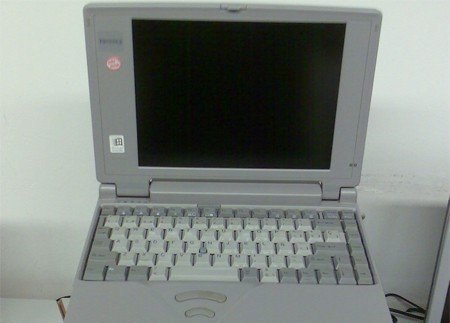
This is my laptop, a Sony Vaio with a quad-core Intel Core i3 at 2.13ghz, 4GB of RAM, 500GB HD space, and an NVIDIA GeForce 310M chipset, running Windows 7 Home Premium 64-bit. I have been using this thing to show off Children of Liberty since its old Multimedia Fusion build (and in fact got it right before PAX East 2010 for that very reason), but have since been using it mainly for bringing back and forth to the office. This thing is fairly light, but I wouldn't want to lug it around for more than a couple hours at a time. This gets carried around in my old Timbuk2 messenger bag from high school, where it fits perfectly into the soft secondary pocket and stays nice and protected, while the power cable, USB cables, and mouse fit into the main bag area. When I need my Wacom or TouchPad with me, that goes into the back pocket. It's certainly not a top-of-the-line laptop, but a very solid mid-range piece of tech. It can play just about anything at medium settings, though, and can just about max the latest Unity build of Children of Liberty. That's all that really matters, because when it comes to gaming and game development, I'm all taken care of.


This is my baby, this is my jam. This mofo is an AMD Phenom X6-powered monster, running at 2.8Ghz PER CORE, 8GB DDR3 RAM, eVGA GeForce GTX 460, Creative SoundBlaster X-Fi (yeah you heard me, sound card, and it's regular PCI so when I have the money to throw in another video card I'll also have the room), almost 3Tb of hard drive space, Logitech G15 keyboard (the greatest keyboard ever made), Logitech MX620 Mouse (frictionless scrolling is such an amazing innovation, I can never go back), DVD writer, a 3.5" floppy disk drive for decoration, multi card reader, Wacom Intuos tablet, XBox 360 controller, HP webcam, and running Windows 7 Home Premium 64-bit all encased in an Antec 900 chassis with a Samsung SyncMaster 216BW monitor. This thing can run anything at full settings. The venerable Manveer Heir once said of this, "When you turn your computer on, does it say 'Is it in yet?'" It'll take anything I throw at it and laugh. It's a joy for game development, renders HD video at a good speed, Photoshops without a care in the world, can run GTA4 and Assassin's Creed at full settings (not to mention every other game on the planet, yes, even Skyrim), and is just an intimidating piece of machinery if you don't know what you're doing with it. Also, that is a screenshot from Children of Liberty as the background, duh.

My programs for game development consist of:

  • Adobe Creative Suite 4 with Photoshop, Illustrator, Dreamweaver, Fireworks, and Flash
  • Silo3D for modeling
  • Multimedia Fusion Developer 2 for prototyping, flash games, game jams, and small projects
  • Unity 3.4 Professional for, you know, the big shit
  • Pinnacle Studio 14 for video editing
  • CeltX Studio for dialog editing
  • OpenOffice for business work and design docs
  • Google Chrome for everything else
  • Steam with way too many games to count or list.
The one thing I'd add to this would be a multiple monitor setup, but as it is I'm too low on desk space to manage it. Some day, though.

Let me know what you guys think! If you have any other questions about my setup I'd be happy to answer them. What's your setup look like? I'd love to see it!

Wednesday, November 30, 2011

Children of Liberty in the IndieDB 2011 Indie of the Year Awards

Indie of the Year Awards

Hi everybody! Quick update today to let you all know that my game, Children of Liberty, is currently in IndieDB's 2011 Indie of the Year Awards competition. You'd be doing me and my team a huge favor by just going to this link and clicking on Vote For This Game. We've been busting our asses on it all year and, interestingly, every time we post an update to IndieDB, it gets into the Top 50 games for a couple days, so it's definitely popular.
Need proof? Here are some stats. Bitches love stats.
Total Alpha Plays Since Alpha Launch on September 5: 904
Total Site Views Since Alpha Launch: 1,107
Total Views on IndieDB To Date: 4,235
Total Views on Youtube Channel: 4,408

Not bad for a game that's only been in free alpha for a couple months, eh? Over nine hundred plays! By casting your vote for Children of Liberty, you would be helping us:
  • Increase our total playcount, bug reports, and hopefully sales.
  • Garner further recognition among the ModDB/IndieDB/Desura Community
  • Get our name out to media outlets like Kotaku, Joystiq, Rock Paper Shotgun, and whoever else is actually going to be paying attention to the contest.
  • Offer incentive for inclusion in indie bundles such as Indie Royale and The Humble Indie Bundle (if a Linux release ever happens).
  • Become a recognizable name for attendees at conventions such as PAX East 2012.
  • Make us look really good for when we are ready to approach publishers.
If you haven't tried the game out yet, you can play it for free right now. I completely understand if you'd rather play it first before deciding whether or not to click the Vote button. But remember that if you DO vote, I will love you long time.

Saturday, November 26, 2011

Preparing for The Global Game Jam


The Global Game Jam is a wonderful thing. It is an event where game developers the world over come together over the course of a weekend and jam out games based on a challenge. Last year's challenge was "Extinction," which led to some very wacky projects, some very serious projects, and stuff in between. Next year, it takes place between January 27 and 29 (make sure to register), but as is tradition we do not yet know the challenge.

Even so, now that we are only 2 months away from the GGJ, now is a good time to start getting ready. While I admit I have only participated in 2/3 Global Game Jam's (I missed 2010's due to flu), here are my Top 10 Tips that I think will be handy to anyone thinking of participating, veteran or not (because people LOVE Top 10 lists).

Weeeee!
1. Don't Shoot for the Stars

You are not here to make Skyrim. You're not even here to make Desktop Dungeons. You're here to make the first floor of The Binding of Isaac at best. All game jams are for making prototypes. Do not set out with the goal of making a final product. If you like your project and your team, nothing is stopping you from continuing development afterward, or even setting up a Kickstarter to help fund it. The Global Game Jam makes no claims on copyright or IP ownership of your projects as they stand at the end of the jam. This is awesome, and if you love your team and your project, KEEP GOING WITH IT! Just don't try to make it giant in the course of a weekend. Shoot for 3-5 minutes of playtime, enough for you to grab some footage in FRAPS to make a trailer.

Time's a-wastin'!
2. The One Hour Rule
The biggest trap any team can fall into at any Game Jam is to spend more than an hour coming up with what game to make. Keep in mind, you have 48 hours to make a game, and your space may not be open for more than 8-10 hours a day. This means you will most likely not be working on the game for the entire weekend (unless your team's like "Let's all go to Steve's place and keep working!") and you must use your time as efficiently as possible. The best way to do this is to get right to work and iterate your project as you go along, adapt it to what you are and are not able to achieve. Therefore, I like to spend no more than the first hour after the keynote coming up with the game's concept. Last year I worked out my friend Sam's apartment (which coincidentally at the time we referred to as our company's "Office") and so we were able to concept our game over a couple beers, laughter, our own white board, and general goofiness (the result of which can be played here). By the end of the jam we had actually made a complete game. Yes it is short, but it works, and that is a lot more than can be said about a lot of projects. Which brings me to my next point:


3. Be Prepared to Fail

Two days is a really short amount of time to make a game, and you can't always predict what will happen. Maybe your concept was too big for you to achieve, maybe nobody on your team actually showed up after the first day, or maybe, just maybe, your final product sucks. It's okay, they can't all be Gnilley. Failure is a part of life, and it is something you have to accept as a part of any Game Jam. When you do fail (and you will) take note of why you failed and use that as a lesson for your future as a game developer.

Remember this thing? Remember how they said this was what was making America fat? Yeah, that's a lie. We were all skinny when we were following it. Just sayin'.
4. Eat

Caffeine on an empty stomach is useless. If your project has a producer, make sure to send them out to get food for the team. DO NOT make them pay for it themselves. When you have no funding, you go Dutch. Make sure there is a good mix of food with enough real nutrients to keep your team going. Calories and sugar are nice and all, but what you really want is Vitamins, Protein, and good Carbohydrates; in other words REAL FOOD! My first Global Game Jam, we subsisted on nothing but Krispy Kreme donuts. We all felt sick, our productivity declined, we got into fights... it was a nightmare. At last year's Global Game Jam, we ordered Chinese. Our productivity was 10x better because we were able to think straight. Some other food choices I would highly recommend for game jamming are pizza (obviously), hoagies (or submarine sandwiches, depending on your colloquialisms), salads, burgers, cereal... whatever keeps you going.

Two Homers in one blog post? Why not!
5. Sleep

You may be tempted to pull all-nighters for the entire weekend. However, if you schedule your project's development properly, you won't have to. A good night's sleep, even if it's 5 hours instead of 8, will do wonders for your productivity. Before you know it, your game will not only be done but it will look sharp too. You may even have time for polish! So get some sleep every night of the jam, in a BED, not at your desk.

6. Bathe

For the love of Jehova, you're going 48 hours working in close quarters with up to 20 other people. They WILL be able to smell you. Do them a favor and don't stink.

Please be more up to date than this.
7. Bring Your Own Laptop
The space at which you will be working for the GGJ working will probably be a school and yes they probably will have some server space reserved for you. This does not mean, however, that they will have all the software you are accustomed to using. For instance, I recently started using Silo3D as my main 3D modeling toolset, and to be fair it is not as mainstream as Max, Maya, or even Blender. If you are a programmer accustomed to an engine other than Flash or Unreal 2.x (3+ if you're lucky) then there is no guarantee the school at which you are working will have what you know (though luckily the tendency for schools to have Unity installed has greatly increased since I was in college). Save yourself the risk and the downtime by bringing your own equipment. You should be able to request access to your host-site's GGJ server space.

As they say, knowing is half the battle.

8. Work With What You Know
The Global Game Jam is a learning experience, but it is not the time for you to claim you are a programmer and then start learning C++. At the start of the Jam, you will have a chance to tell everyone at your location what your skills are. Be honest, and find a team that needs your unique skillset. If you are an artist, tell everyone whether you work in 2D, 3D, characters, props, environments, etc. If you are a programmer, tell everyone what languages you know and with what engines you are familiar. If you work in sound, tell everyone if you focus on music or effects, if you brought your own equipment (including instruments), and what audio programs you use.

Great work, team!
9. Make Games People Can Play
(This one's going to be controversial, mainly because there are way too many different programming languages, but what I want you to take away from this is keep what you do as simple as possible for the user.) I have seen many, many projects fall into this trap. Even though we live in the era of pluginless, all-inclusive HTML5, many developers at Game Jams get it through their skulls that it would be a good idea to require users to install alien frameworks to have their games run. This goes for pretty much anything beyond Flash, Unity Web Player (its inclusion with Google Chrome makes it an exception), DirectX, Java, and possibly a few others. Making users install things like iPhone or Android emulators because you couldn't build the whole app, various PDK's, or Kinect Hacks is probably a bad idea. Even Silverlight falls under this "avoid" category. Do not scare away your players by requiring them to download all sorts of frameworks just to have your game run. You will be competing with thousands of other games, and if you intimidate a user from playing yours immediately, they'll move onto the next one.

Too cute to resist!
10. Have Fun!
Games are fun and making games is fun. Do not waste time arguing with your team. If no one can come to an agreement on a feature, either try both or try neither. In the end you will have a stronger game if you work in a team that cooperates. Keep yourselves fed, get some sleep, take a shower, don't frustrate yourself or your playerbase, don't argue, be ready to fail, hope to succeed, bring your own equipment, and be honest with yourself and your teammates. In the end, you will have a much more positive experience for remaining positive during the weekend.

If you haven't registered for the Global Game Jam yet, you can do so here. If your local site is booked up, send someone from it an email to see if they can squeeze you in or if you can at least have access to the keynote, challenge info, and any upload info you may need so you can host your game at the end. You can also be generous and open your own jamming site for people to work, but contact the GGJ organizers to find out how you can do this (I don't think the requirements are steep, you certainly don't owe them money for doing so, but there are a few guidelines).

Can't wait to see what you all come up with! See you in January.

Friday, November 25, 2011

Communication is Key

Ever have one of those days, or one of those weeks in my case, where one hand obviously is not talking to the other? Not to sound like Andy Rooney, but I have. It's become so frustrating to the point that I am going to make a blog post about talking. That's right: talking.


Let's start by talking about bundles. There have been a lot of those lately, from The Humble Indie Bundle to IndieRoyale to the latest Indie Game Music Bundle. As was mentioned on the blog Dino Farm Games, these are great for the developers who actually get in, but not so great for those left out. To be fair, it's not like every indie game ever can be in a bundle. After a certain point, there would be too many games included in a bundle for the price to be economically viable per developer, or it would be too expensive for most people to pay in the first place ($100 for 100 games seems awesome, but how many of those are you actually going to have time play?). For the sake of argument, however, let's say a new bundle pops up, and you are an indie developer with a game you'd like to be included, so you send those who run the bundle an email with a link to your game on the day the bundle goes live. A week goes by, you hear nothing back. You send them another, still nothing. Finally, on the third email, you hear that they are not accepting any more games for the next bundle. Sounds like a pretty frustrating scenario, huh? Sadly, it is a real one, and a tough one to avoid if you are just starting out.

Keep crying, no one loves you.
For all this talk about how great social media is, the one thing we've stopped doing is talking to each other. Situations like this could be avoided if people just had the guts to speak up and send out rejection notices immediately instead of dragging people along for weeks on-end. Unfortunately, lack of communication can really eat into a developer's schedule, no matter how small the team may be, and this goes for both outside-in (in the case of bundles or publisher deals) and strictly internally. In fact, internal communication breakdowns are probably the easiest to occur but also the easiest to avoid. For instance, if you have two programmers on team - say one handles input and the other handles AI - and neither programmer is letting the other know what's going on, certain features may end up neglected at build-time, and neither programmer would be happy about that.

And then before you know it, you're out of a job.
The first instinct is to go to the Project Lead or the Producer with new features to go in, and on big teams this make sense. If a problem arises, you want your Producer to know so she can find a way to solve it. As Extra Credits pointed out, though, your Producer will probably pull you into another Programmer's office and say, "Hey, can you solve this problem?" You can save 10 minutes (at least) in your work day by going to that Programmer's office yourself and asking the same thing. Plus, you save your Producer the headache of having to help you do your job. As an employee anywhere, it is part of your job to make sure you know how to talk to everyone there, not just your boss. To be completely blunt, nobody likes it when you go over their heads to solve a problem with which they are involved. People much prefer you'd come to them personally, and I think Producers/Leads would prefer their staff talk to each other instead of having to fill in every tiny hole themselves. Save your company time and money and let your peers know you have a problem. Then you can tell your producer at the daily meeting that you solved a problem on your own. That'll make everyone feel good.
A happy Producer is like a warm summer's day: forgiving!
On a small team, going to the Project Lead to solve a problem instead of the team member whose responsibility it is to solve said problem is practically inexcusable. Something is bound to get lost in translation in the short game of telephone between the three team members, and since your team may not be working out of one central location, it's not exactly easy to drag someone into someone else's office. If you have everyone's contact info, contact your teammates directly. Project Leads on indie teams wear many, many hats and really don't have the time to call someone for you when you have their number.

That's a lot of hats for someone who's not selling hats.
Which brings me to my final point. If you are on a small team, have a phone you can always answer, and if for some reason you can't, always return your phone calls. There is nothing more frustrating than leaving an important message on someone's voicemail only to have them not get it or not return it. Blackberries are notoriously bad at not letting their users know they have a voicemail. Android, iOS, webOS, and even flip-phones do a better job. When you are working, keep your phone next to you, not in your pocket, so that if you get a call you can see the phone light up instead of wondering if it is vibrating (and if you are in an office environment, please do set it to vibrate for the sake of your co-workers). People (well, extroverts at least) much prefer face-to-face or even voice-to-voice communication over six-word (or worse, six-page) emails. Emails are okay, though, especially if what you need to tell the person on the other end is highly technical (fix this code on like 346 to read blahblahblah, for instance). Text messages are too impersonal, and they often cost the receiver money for information you could have called them about or put into an email.

You paid a lot of money for this shit. I don't care if the call quality sucks: USE IT!
Lots of things to keep in mind, I know, so here's the TL;DR version:
1. Groups who run bundles get flooded with a lot of emails from a lot of devs. If they happen to get to you and select your game to go into a bundle, consider yourself lucky.
2. Talk to your peers first, not your leads/producers, when you have a problem they could easily solve.
3. Answer your gorram phone.
4. Emails are good for highly technical problems.

All in all, just don't be afraid to talk to the people you work with. It's hardly even going an extra mile, it's going an step. That's as far as you can go before you go any further.